
Travel eSIM for Brisbane Australia
Choose your package
Pay by card
20 gb
$ 2.49 / gb
Total $49.8
10 gb
$ 2.99 / gb
Total $29.99
5 gb
$ 3.99 / gb
Total $19.95
3 gb
$ 4.49 / gb
Total $13.47
1 gb
$ 4.99 / gb

Get a 3% cashback in $WIFI tokens in the app for any eSIM package purchase
Pay by card
How it works

02
Buy eSIM package
Packages are active for 30 days and available in 90+ countries


Bonus: Access to 15 million WiFi hotspots, Offline maps
Buy Travel eSIM
03
Activate your eSIM
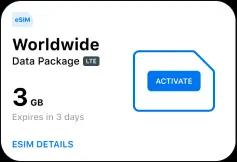
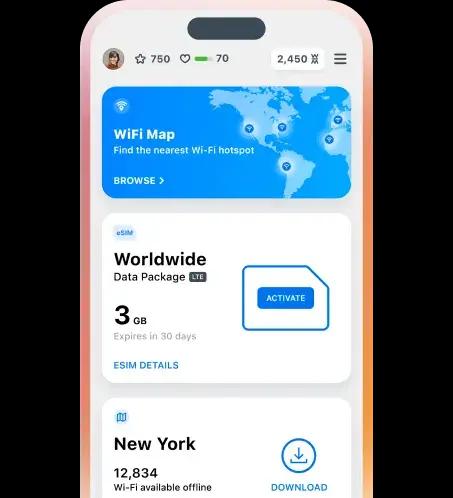
Sign in to the WiFi Map app, activate your eSIM and enjoy LTE
Description
Specification
Compatibility
Why WiFi Map eSIM
Purchase and install your eSIM in one minute

Enjoy high-speed internet in 90+ countries
Save your money with a map of over 15 million WiFi hotspots

Get a 3% cashback in $WIFI tokens for any eSIM purchase
WiFi Map Features
eSIM in Brisbane
Stay online worldwide
Start from null/GB data
Get eSIM
Offline maps in Brisbane
Take your maps with you
Over 15 million WiFi hotspots are available offline
Get offline maps
Popular destinations near Brisbane
Show all cities
WiFi Map - #1 Wi-Fi Finder
Our mission is to connect the world in one Wi-Fi network at a time. We started in 2014 and now #1 Internet connectivity tool.
Wi-Fi Finder
Our WiFi Finder app makes it easy to locate and connect to Free WiFi networks so you can get fast, reliable Internet on-the-go in places you shop, dine and travel.
Offline Maps
Download areas and navigate offline. If you're going where the Internet is slow, mobile data is expensive, or you can't get online, you can save an area from WiFi Map to your phone or tablet and use it when you're offline.
Data Saver
Use less data with WiFi Map's Data Saver. You can lower your phone bill or load webpages faster on slow connections by reducing the amount of data your device uses.
Get the WiFi Map app
Download the app now for millions of WiFi hotspots, affordable eSIM mobile data and a network of partner services all over the world. You can help the WiFi Map community grow by adding hotspots in your area.
Where you can get open internet in Brisbane
Brisbane, the capital of Queensland, Australia, is a vibrant and exciting city that is well worth visiting. Whether you are a local or a tourist, exploring the city is an excellent way to learn more about the culture, history, and lifestyle of Brisbane. However, traveling around the city can be expensive if you do not plan your visits accordingly. One way to save money while exploring Brisbane is to make sure you find free Wi-Fi spots. As technology advances, people have become more dependent on the internet to stay connected with the world. Free Wi-Fi has become a basic need for many individuals, especially for travelers who are always on the go. Brisbane is a city that has many establishments offering free Wi-Fi for their customers, including cafes, bars, and hotels. One of the best ways to find free Wi-Fi spots in Brisbane is to use a Wi-Fi map. There are many Wi-Fi maps available online, which provide you with a list of locations where you can find free Wi-Fi. Some apps that provide Wi-Fi maps in Brisbane are Free Wi-Fi Finder, Wi-Fi Map, and Heatmap. These apps will show you the locations of free Wi-Fi hotspots on a map, making it easier for you to find Wi-Fi connection points around the city. If you are looking for places to visit in Brisbane that offer free Wi-Fi, there are plenty of options. One popular location is the State Library of Queensland, which has a free Wi-Fi service available to the public. Other great locations to find free Wi-Fi in Brisbane include cafes such as Merlo Coffee and Quench, bars such as The Fox Hotel and Emporium Hotel, as well as hotels such as Ibis Brisbane and the Marriott Hotel. Travelers visiting Brisbane will appreciate the free Wi-Fi spots available as it helps them stay connected and share their experiences with friends and family back home. By being able to access free Wi-Fi hotspots, they can save money on data plans and avoid costly roaming charges. In conclusion, Brisbane is a city that has a lot to offer, and finding the right places with free Wi-Fi is crucial for travelers or residents who want to stay connected while saving money. With Wi-Fi maps and plenty of cafes, bars, and hotels offering free Wi-Fi, you can explore the city with ease and stay connected with the world. So, next time you visit Brisbane, keep these tips in mind to make the most of your travels.
Popular questions
What is an eSIM?
An eSIM is an embedded SIM card available on eSIM capable devices. It allows you to activate and use a cellular plan from your carrier without having to insert a physical SIM card.Read more
Is eSIM compatible with regular physical SIM?
Yes, after eSIM activation your device starts using both your physical SIM card and the eSIM at the same time.Read more
Can I reinstall an eSIM?
Most eSIMs cannot be reinstalled, which means that if you remove your eSIM you may encounter an error when trying to download it again.Read more
Device Compatibility
Here you can find all eSIM compatible devices (iOS, Android)Read more
Can I make phone calls or send SMS with eSIM service?
Our eSIM is for mobile internet only.Read more
Practical Tips for Data Savings
At WiFi Map, we're focused on helping you make the most of your eSIM.Read more
Choose your package
eSIM FAQ
Languages
English
Español
Français
Italiano
Português
Deutsch
Türkçe
Bahasa Indonesia
Bahasa Melayu
Dutch
Tiếng Việt
Languages
English
Español
Français
Italiano
Português
Deutsch
Türkçe
Bahasa Indonesia
Bahasa Melayu
Dutch
Tiếng Việt